Rendering Utilities
I've exposed my internal rendering toolkit to ensure your custom elements match the Item Glow aesthetic perfectly.
The Fit-to-Width Text Engine
One of the hardest parts of a HUD is dealing with long strings. I've built a specialized method that handles scaling automatically.
public static void drawScaledText(DrawContext ctx, MinecraftClient c, Text t,
                                 int x, int y, int mW, int col)
This method measures the text width. If it's wider than mW (max width), it calculates a precise scale factor, applies a matrix transformation, renders the text, and pops the matrix back. This ensures names like "Infinity Super-Charged Diamond Pickaxe of the Void" never overflow your HUD.
@Override
public int render(DrawContext ctx, MinecraftClient client, ItemStack stack, int x, int y, int mW, float alpha, float age) {
    Text customText = Text.literal("Legendary Artifact of the Ancient Kings");
    int color = (int)(alpha * 255) << 24 | 0xFFAA00;

    // This will automatically shrink the long string to fit within mW
    ItemGlowApi.drawScaledText(ctx, client, customText, x, y, mW, color);

    return 10;
}
The Pill System
My signature "Pill" design is modular. A Pill is a small data record that contains text, background color, and metadata.
public record Pill(String text, int bg, int fg, boolean isFood,
float alphaMult, float yOffset, boolean advanceSlot)| Method | Description |
|---|---|
renderPills(...) |
The main layout engine for pills. Handles background drawing, food icons, and vertical wrapping. |
addCyclePills(...) |
Enables the smooth "scrolling" effect when you have more information than can fit on one line. |
drawCustomPill(...) |
Draws a single, standalone pill at specific coordinates. Used by the high-level engines. |
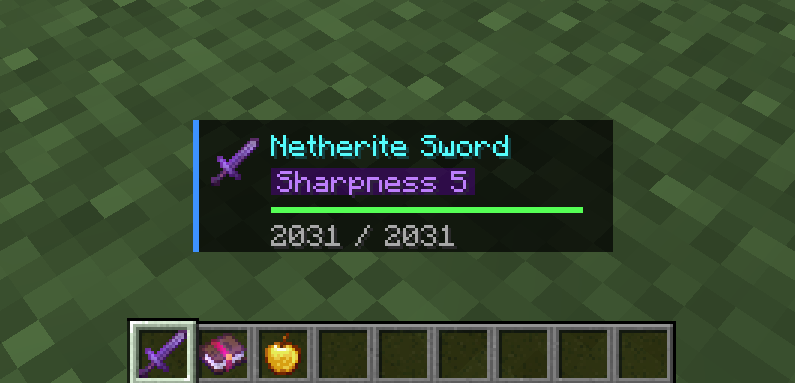
renderPills: Static layout showing standard enchantments.
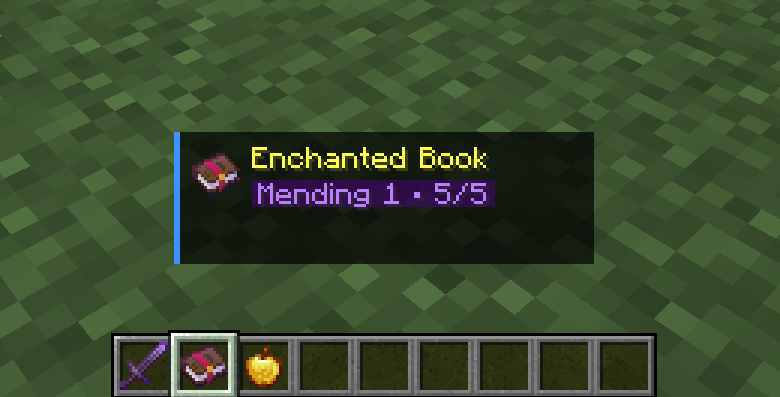
addCyclePills: Animated scrolling for overflowing content.
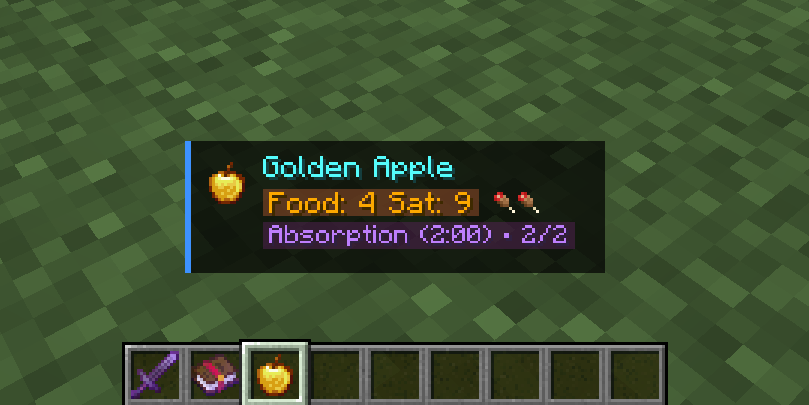
drawCustomPill: Specialized rendering with custom icons.
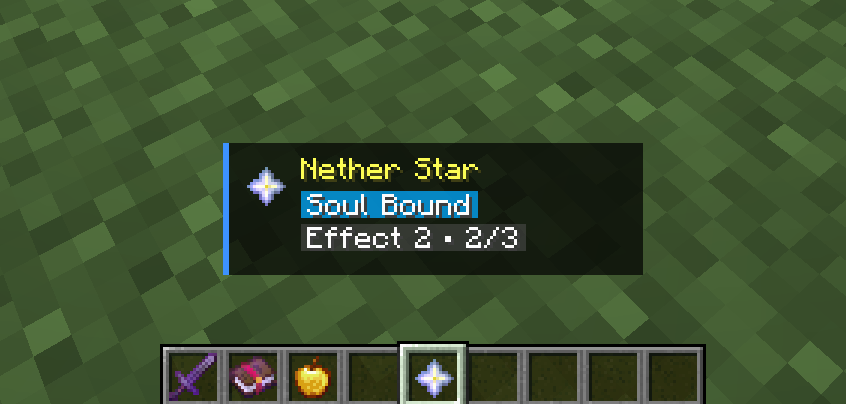
Verification: The Nether Star test confirming the Pill System logic.
List<Pill> myPills = new ArrayList<>();
myPills.add(new Pill("Soul Bound", 0x5500AAFF, 0xFFFFFF, false, alpha, 0, true));

// 1. Basic rendering
int heightUsed = ItemGlowApi.renderPills(ctx, client, stack, myPills, x, y, mW, alpha);

// 2. OR: Use addCyclePills for scrolling animations
List<String> overflowItems = List.of("Effect 1", "Effect 2", "Effect 3");
ItemGlowApi.addCyclePills(myPills, overflowItems, 0x555555, 0xFFFFFF, age, 2.0f);
ItemGlowApi.renderPills(ctx, client, stack, myPills, x, y, mW, alpha);
Math & Data Helpers
I've included several helpers to simplify common Minecraft UI tasks:
public static float getPct(ItemStack s)Returns the durability percentage (0.0 to 1.0) of an item stack. It handles non-damageable items by returning 1.0, making it safe for all inputs.
float durabilityPct = ItemGlowApi.getPct(stack);

// Example: Flash red if durability is below 10%
if (durabilityPct < 0.10f) {
    int flashColor = (int)(alpha * 255) << 24 | 0xFF5555;
    ctx.fill(x, y, x + mW, y + 2, flashColor);
}
Alpha Management
When drawing using DrawContext.fill(), remember that colors are ARGB. Use (int)(alpha * 255) << 24 | (color & 0xFFFFFF) to correctly apply the HUD's current fade state.